How to Build Your Precast Brand's Hours-Saving AI-Engine in 15 Minutes
Read Time: 5 min, 18 sec
The Ground Work
Short on time? Here are this article’s key takeaways…
AI Can Fix Reactive Marketing. A custom brand GPT helps busy precast teams create consistent, on-brand sales and marketing content quickly, without sounding robotic.
Custom GPTs = Brand-trained AI. By training a GPT on your products, customers, and voice, you get outputs that sound like your team, not generic AI.
ChatGPT Plus is a Recommended Path. ChatGPT Plus unlocks the GPT Builder, which lets you upload brand knowledge and share the tool with your team for everyday use.
Building Your Own GPT Takes Only a Few Steps. Gather brand materials, tell your brand GPT what it will be doing, upload real project knowledge, and start generating sell sheets, emails, and guides immediately.
Disclaimer: Verify Accuracy Before Implementation
Every effort has been made to ensure the accuracy of the information presented at the time of publication. However, online platforms, features, and processes are subject to change. Readers should verify current functionality and availability directly within the platform before implementation.
As a precast producer, your team wears many hats. You’re manufacturing, managing operations, serving customers… and still need to market your solutions to dealers, designers, contractors, and project owners. That means creating compelling sell sheets, buying guides, emails, social posts, and sales scripts. The result? Marketing becomes reactive, inconsistent, or delayed.
Artificial intelligence (AI) can help without requiring you to hand over the reins of your brand to a robot. This step-by-step 15-minute guide will help you leverage the time-saving power of AI while remaining authentic in your messaging and staying true to your brand.
What is a GPT?
You’ve likely heard the term “GPT” used before. For the purposes of this article, we could claim it’s an acronym for Gives Producers Time. But GPT actually stands for Generative Pre-trained Transformer, which is a type of artificial intelligence trained to understand language and generate useful content. In practical terms, a GPT can draft documents, answer questions, and create sales and marketing materials in seconds.
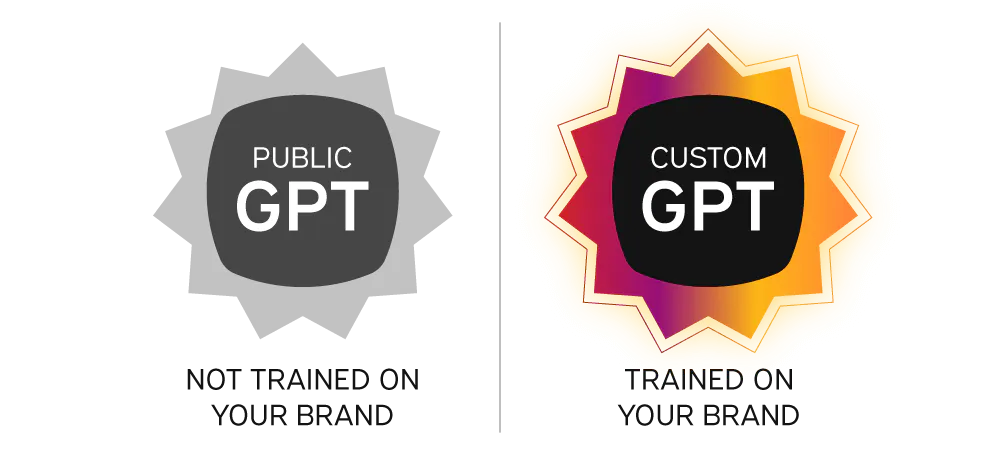
A custom GPT takes this a step further. Instead of generic AI outputs, you create a version trained on your brand. This includes your products, your customers, your positioning, and your voice. That means every sell sheet, buying guide, and email sounds like it came from your team, not a chatbot.

Why We Recommend Using ChatGPT Plus
We recommend building your brand GPT inside ChatGPT Plus because we’ve found it delivers the most value with the least friction. Full disclosure: Creating your own brand GPT within ChatGPT Plus does require a subscription, which can currently be purchased for less than $1 a day.
With ChatGPT Plus, you can:
- Create Your Brand GPT. ChatGPT Plus is the minimum plan that unlocks the GPT Builder feature, allowing you to set the tone and vocabulary preferences for your brand's GPT. It’s what we’re here for after all, right?
- Upload Brand Knowledge. Attach documents like brand guidelines, product documentation, FAQs, and marketing copy to ensure GPT responses are based on your approved content, not general web knowledge.
- Share Access. Allows you to share access to your brand GPT with your team. They can’t edit the brand GPT, but they can use it to create.
You can always use the free version of ChatGPT without cost and explore its capabilities before deciding whether to subscribe to Plus and build your own brand GPT.
Step-By-Step: Build Your Brand GPT in 15 Minutes
Now that we’ve covered the what, let’s get to work with the how – creating your own brand GPT so you can start building content and messaging that moves your audiences to action. At this point, you’ll want to consider creating different brand GPTs for each of your brands, and not just one single GPT for your company. Redi-Rock appeals to a vastly different audience than Rosetta Hardscapes. With ChatGPT Plus, you can create as many brand GPTs as you need, so we recommend different GPTs for each of your brands and one for your company. Once you’ve created the first one, building the remaining brand GPTs will be a piece of cake.
Gather Your Brands’ Background Materials (5 minutes)
This information will serve as the foundation for your GPT and help it understand your brand. It’s a key step in creating your brand GPT. These materials will be uploaded later, so they must be in electronic form. Examples include:
- Your Company’s Overview. Your mission statement/company values (why), your story (how), your target market (who), and your service area (where).
- Product Descriptions and Use Cases. Existing product catalogs, sell sheets, technical data sheets, FAQs, etc.
- Differentiators and Proof Points. Project experience portfolio (by type and scale, owner, location, and year), pre-approved product listings, competitor comparisons, etc.
- Examples of Existing Strong Sales and/or Marketing Copy. Approved website copy, trade show materials, product summaries, etc.
Build a Dedicated Brand GPT in ChatGPT Plus (6 Minutes)
This is the heavy lifting, if we can even call it that. You’ll create an accurate, reusable brand GPT that always understands your company, products, and voice. Here’s how:
- In the left pane of ChatGPT Plus, select Explore GPTs → then click Create in the upper right corner
- Ensure the Create button is selected in the left window and type a broad description of what you’re seeking (e.g., You are the Brand Marketing and Sales Assistant for Acme Precast, a precast concrete producer in Las Vegas, Nevada. You help create sell sheets, buying guides, emails, proposals, and sales scripts. Write in a clear, confident, friendly tone, minimizing technical jargon. Emphasize speed to install, durability, and long-term value.)
- Toggle to the Configure button.
- Name your GPT (e.g., [Company Name] Sales & Marketing Assistant)
- Review the Instructions section and make any edits you deem necessary. This section should clearly define:
- Who the AI is (its role)
- Who it serves (your audience)
- Everything it’s expected to create (emails, sell sheets, proposals, scripts, social media copy, etc.)
- How it should sound (tone, vocabulary, level of technical detail)
- Review the Conversation starters for accuracy. Delete those that don’t fit your needs and add any you believe you are missing. Don’t worry, you can always add to this section later.
Upload Real Project Knowledge (2 minutes)
Remember those materials we had you gather earlier? Here’s where they come into play. Use the Upload files button to submit these to your new brand GPT. You can add more uploads at any time.
Put Your New Brand GPT to Work (2 minutes)
Try prompts like:
- “Create a one-page sell sheet for our Novum Wall retaining wall systems.”
- “Draft a follow-up email to a municipal engineer after a Redi-Rock lunch-and-learn.”
- “Write a buying guide comparing Rosetta Hardscapes slabs and pavers to dry cast alternatives.”
How Your Company Wins with a Brand GPT
A dedicated brand AI engine can be a time-saving, everyday tool for your team. Continue to feed it more materials, and it will evolve as your company does. This access to real reference materials and stronger long-form content generation enables on-brand emails, sell sheets, proposals, and guides that are delivered fast enough for daily sales and marketing use.
Like any tool, AI works best with clear direction. Outputs reflect the quality of your inputs, and human review remains essential. Used correctly, your brand GPT doesn’t replace expertise. Instead, it amplifies it, giving your team a serious advantage in how they sell, market, and communicate every day.